Sidstuga

IPTV player · Android TV, Fire TV, phone & tablet

The IPTV player for Android TV, phone & tablet
that gets out of your way.

Bring your Xtream Codes or M3U. Sidstuga handles the rest, with a clean interface that looks the same on phone, tablet or Android TV — and an optional Cloud Sync that keeps favourites and history aligned across every screen, end-to-end encrypted.

NEW  ·  Cloud Sync — pick up right where you left off, on any screen

€0.99/month · no ads · no signup

Cancel anytime in the Play Store · No card needed for the 3-day trial

On Android TV or Fire TV? Open the Play Store on your device and search “Sidstuga”.

8
languages · RTL ready
E2E
encrypted Cloud Sync
<1.3 s
avg cold-start
€0.99
per month · cancel anytime

Everything you need, nothing extra

Features

Cloud Sync · Premium First E2E among Android IPTV

Pick up right where you left off, on any screen. Watch progress, history and favourites stay in sync across TV, phone and Fire TV, end-to-end encrypted with Argon2id + AES-GCM. Your IPTV provider, Google and even we never see what you watch. No other IPTV player on Play Store offers this. Included in the €0.99/month subscription.

Rich movie & series details NEW

The movies & series in your own playlist get a proper details screen — cast, ratings, artwork and synopsis, with seasons & episodes laid out and watched markers. Built for both touch and d-pad.

Rock-solid speed NEW

Even huge TV and VOD catalogues now scroll buttery-smooth, with no stutter. Lazy-loaded lists and on-device caching keep zapping and browsing your own content instant.

Fresh native design NEW

A cleaner, fully native look — Android TV tuned for d-pad navigation, mobile built on Material 3. Smoother focus, calmer surfaces, the same feel on every screen.

Reorganized Settings NEW

Settings rebuilt around clear groups so everything is easier to find and faster to change — fewer taps to what you actually need, on both phone and TV.

DVR — Record live TV

Record any live channel directly to your device — on Android TV and mobile. Schedule future recordings from the EPG guide or channel menu. Full playback library with seek bar. The only IPTV player with TV+mobile DVR parity.

Live IPTV

Plays live channels from any Xtream Codes API server or M3U/M3U8 playlist. URL or local file. You bring the source.

Integrated EPG

Programme guide for the next 24 hours — what's on now, next, and the past 7 days. Refreshes automatically in the background.

Punctual reminders

Mark a programme, get a notification at the exact time. Works with the app closed via SCHEDULE_EXACT_ALARM.

Catch-up · up to 7 days

Rewind up to 7 days on channels where your Xtream provider supports it. One click and you're back in last Thursday's match. Quick reset if a programme starts late.

Picture-in-Picture

Keep watching while you use other apps. One tap to enable. Single player instance, no reload, no lost position.

Parental control

4-digit PIN. Lock individual channels, not just categories. Session expires when you close the app.

Portable settings

Export everything to a JSON file, import on another device. Credentials and PIN stay out for security.

True phone ↔ TV parity

Every feature on one surface ships on the other — touch on phone, d-pad on Android TV. Tested every release on real TCL Android TV boxes, not just an emulator.

8 languages

English, Português (PT & BR), Español, Français, Italiano, Deutsch, العربية (RTL). Built-in selector, no need to change system settings.

5 accent colours

Premium Purple, Ocean Blue, Forest Green, Crimson Red and Sunset Orange. Switch any time without restart.

Recent channels

Last 5 played channels at the top of the list, one tap to retune. On TV the yellow remote button jumps straight to the previous channel.

Watch stats

Top 5 most-played channels, lifetime sessions and channels watched. Reset any time. All on-device — these stats are never uploaded.

Auto-refresh playlist

Sidstuga re-downloads your channel list every 6, 12, 24 or 48 hours in the background. New channels appear without you lifting a finger; gone channels disappear quietly.

Stream stats overlay

Live bitrate, dropped frames and buffer health overlay on demand during playback. The numbers your provider hopes you won't check.

External player handoff

Prefer VLC, MX Player or Just Player? Hand any stream off in two taps — credentials are decrypted in memory and passed through a single intent, never written to disk.

Layered stream resilience

8 s first-frame watchdog, URL fallback ladder (.ts ↔ .m3u8, http ↔ https), surface rebind for TCL/Realtek decoders, persistent health indicator. When everything fails, a clear dialog offers Retry · Next channel · Report.

Sleep timer

Set a countdown of 15 min, 30 min, 1 h, 2 h or 3 h. Playback stops gracefully when time runs out — no alarm needed.

Instant channels

Your channel list appears the moment the app opens — cached on-device in a native database. The network refresh runs silently in the background.

Instant EPG search

Search any programme across all channels in milliseconds. Native full-text search — works even while the guide is still loading in the background.

Decoder auto-recovery

If your TV decoder freezes for a split second (common on some Android TV boxes), the player silently rebinds the surface and resumes — no spinner, no manual zap-out.

How it looks

On every screen, equally at home

Real captures of Sidstuga running on Android TV, Fire TV, phones and tablets. Same experience, adapted to each platform.

Android TV

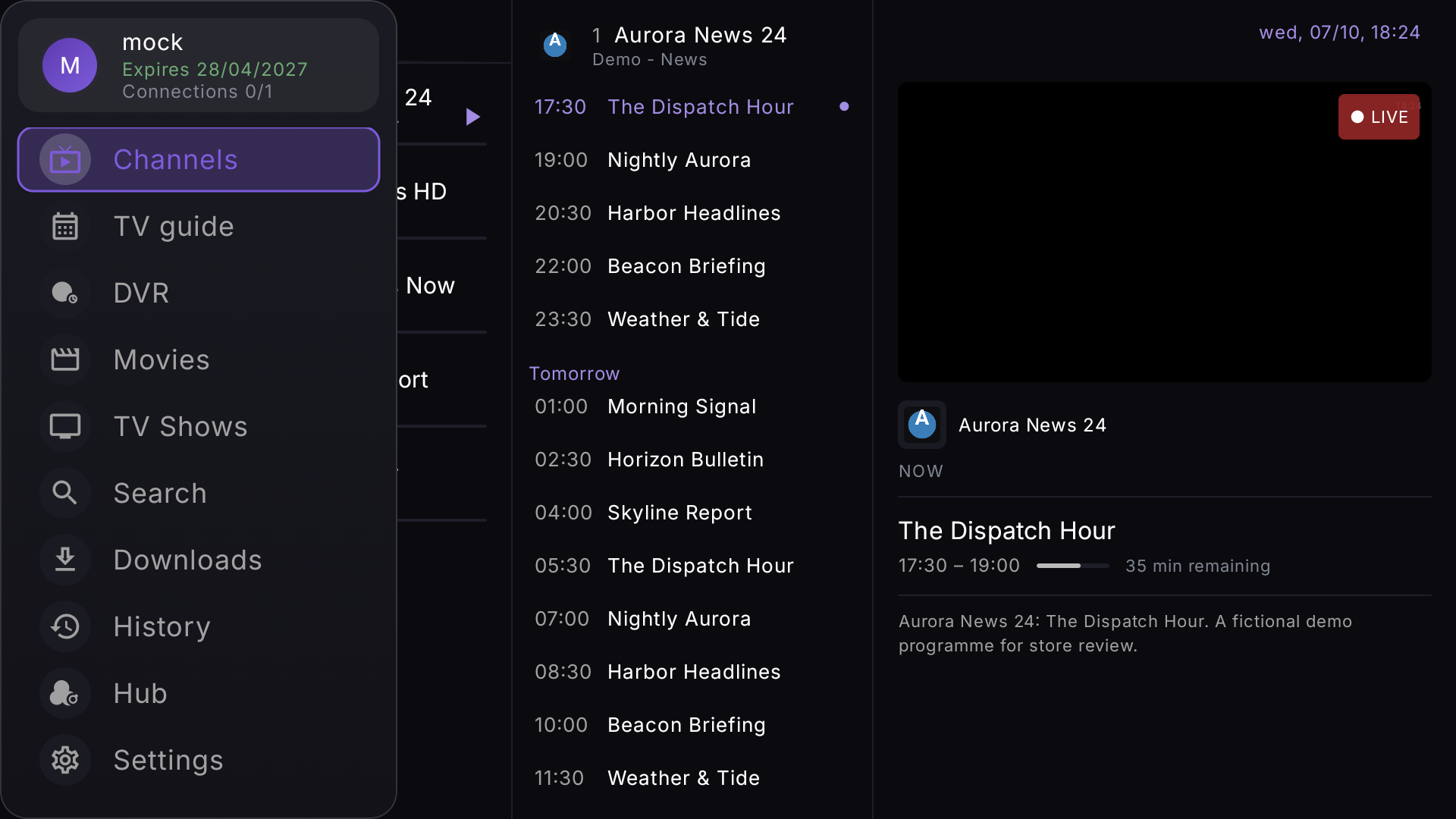
IPTV channel list with live EPG panel on Android TV
Channels · live EPG panel
EPG TV programme guide grid on Android TV
TV Guide · programme grid
DVR recordings library on Android TV
DVR · recorded library
VOD films and series on Android TV
VOD · films & series
Navigation sidebar on Android TV IPTV player
Navigation · sidebar
Cloud Sync Premium dashboard on Android TV
Cloud Sync · Premium dashboard

Android phone & tablet

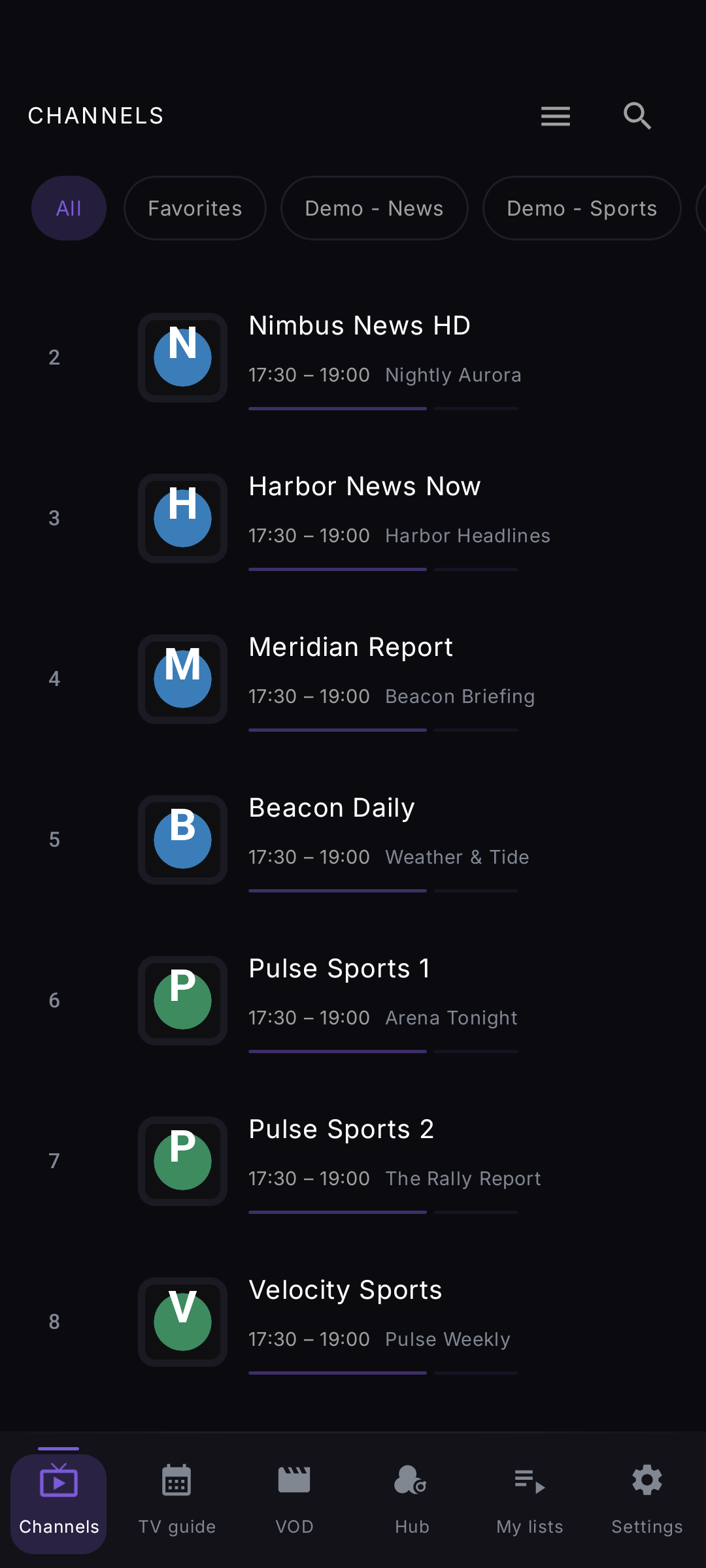
IPTV live player with channel list on Android phone
Channels · live player
TV Guide EPG programme schedule on Android phone
TV Guide · EPG
VOD movies on Android phone IPTV app
VOD · movies
Premium Cloud Sync account on Android phone
My list · Premium
Settings and customisation on Android phone
Settings

Privacy-first

Your data stays with you.

Your IPTV credentials, playlists and settings never leave your device. No ads, no account, no sign-up. The app uses Firebase Crashlytics & Analytics (Google) for crash diagnostics and basic usage stats — nothing else.

Full privacy policy →
  • Credentials encrypted with EncryptedSharedPreferences
  • Parental PIN hashed with SHA-256 + salt
  • Diagnostics via Firebase Crashlytics & Analytics — no ad networks
  • Only requests strictly necessary permissions
  • Clear app data and everything on the device is gone

For the demanding user

Under the hood

Player

  • Media3 / ExoPlayer · hardware decode
  • No-buffering hardware accelerated playback
  • 8 s first-frame watchdog + URL fallback ladder
  • Surface rebind for TCL/Realtek/Amlogic decoders
  • External-player handoff (VLC · MX · Just)
  • Aspect ratio cycle: Auto · Stretch · Zoom

DVR

  • Record live channels to local storage
  • Schedule from EPG or channel long-press
  • Playback library with seek bar + thumbnails
  • Works on Android TV and mobile (unique)
  • Scheduled alarm via SCHEDULE_EXACT_ALARM

UI

  • Jetpack Compose · Material 3
  • Overlay layer system · single Activity
  • Native TV d-pad routing
  • <1.3 s cold-start on TCL TV
  • p99 frame-pacing <100 ms (target)

Persistence & Sync

  • DataStore Preferences
  • EncryptedSharedPreferences (secrets)
  • Cloud Sync: Argon2id + AES-GCM (E2E)
  • Portable backup & restore in JSON
  • Custom channel order persisted
  • Reminders survive cold-start

Compatibility

  • Android 7.0 (API 24) or higher
  • Android TV · TCL · Mi Box · NVIDIA Shield · Xiaomi
  • arm64-v8a · armeabi-v7a
  • ~5 MB public APK (release)

Frequently asked

FAQ

Does Sidstuga have DVR / recording?

Yes. You can record any live channel directly to your device storage — on both Android TV and Android mobile (phone/tablet). Schedule recordings in advance from the EPG programme guide or via long-press on any channel. Recorded files appear in a library with full playback and seek bar. No server or subscription beyond Sidstuga required — recordings go to your device, not a cloud server.

Does it work on Android TV boxes — TCL, X96, Amlogic, Realtek?

Yes, and this is where Sidstuga was specifically optimised. Budget Android TV boxes often have Realtek or Amlogic chipsets that can lose their hardware decoder mid-stream. Sidstuga has a dedicated surface-recovery loop that silently rebinds the decoder and resumes playback — no manual zap-out needed. Tested on real TCL hardware at every release.

Will it buffer? Does it support hardware decoding?

Sidstuga uses Media3 (ExoPlayer) with hardware video and audio decoding enabled by default — the same path used by Netflix and YouTube on Android. Hardware decode means video is processed by the dedicated chip, not the CPU, so streams that would buffer on a software decoder play smoothly. For persistent buffering, the stream stats overlay (hold OK / long-press) shows live bitrate and buffer health so you can tell immediately whether it's a device or provider issue.

Does Sidstuga come with channels or a server list?

No. Sidstuga is just a player. You bring your own Xtream Codes or M3U file/URL from a provider you've already subscribed to. The app does not host, index, recommend or include channels or playlists.

Does it work offline?

IPTV is by nature an online service — you need a connection to your provider. The app detects connection drops automatically and shows a discreet banner + reconnects on its own when network returns.

Can I use multiple servers?

Yes. In Settings → Sources you can add multiple lists (Xtream and/or M3U) and switch between them. Each one keeps its own history, favourites and channel order.

Is parental control safe?

The PIN is stored hashed with SHA-256 + a unique salt — never plain-text. Enough to prevent casual home browsing. Not bank-vault security; no consumer app is. Plenty for household use.

How much does Sidstuga cost?

3-day free trial via Google Play, then €0.99/month or €7.99/year (about €0.67/month — save 33% vs monthly). Cancel anytime in the Play Store. No ads, no account, no upsells, no hidden tiers.

What data does Sidstuga collect?

No account, no sign-up, no ads. Your Xtream/M3U credentials, playlists and settings stay encrypted on your device. The app does send anonymous crash reports and basic usage statistics to Firebase (Google) so we can find and fix bugs — no personal data, no advertising profiles. Full detail in the privacy policy.

Is the source open?

The repository is currently private. Medium-term intention is to open parts that make sense (reusable UI components), keeping the app distributed via Play Store.

Does it work on Apple TV / iOS / web?

No. Sidstuga is a native Android app — uses Media3 (ExoPlayer), Compose and several platform-specific APIs. Porting to iOS or web would essentially mean rewriting.

How do I report a bug or request a feature?

Email support@sidstuga.app. Typical reply in 1-3 working days. Bugs with a logcat attached get prioritised.

Pricing

One subscription, all your screens.

€0.99 /month
or €7.99/year · ~€0.67/month · save 33%
  • 3-day free trial via Google Play — no commitment
  • ✓ Full app in 8 languages (incl. Brazilian Portuguese & Arabic RTL)
  • ✓ Phone, tablet & Android TV — one subscription
  • DVR recording — record live TV on TV and mobile, schedule from EPG
  • Cloud Sync — favourites & history across every device, end-to-end encrypted (Argon2id + AES-GCM)
  • ✓ Catch-up TV · EPG guide · programme reminders · stream stats
  • ✓ No ads, no account required, no sign-up
  • ✓ Cancel anytime in the Play Store
  • ✓ Email support at support@sidstuga.app
Get on Play Store

Contact

One email away.

Ready to start?

Five minutes to set up. Years of TV without the hassle.

Download on Play Store