Android TV · Phone & tablet
Your channels. Your way.
Browse your channel list and move between channels, the guide, recordings and your media from a clear sidebar. Your own sources, always.
Enlarge screenshotsIPTV player for TV and mobile
Watch your channels, films and series. Choose your device and find out how to install.
Lifetime licence (sideload): €39.99 · one-time Google Play subscription: €9.99/year
Which device do you want to use Sidstuga on?
Compare the options and licence terms before installing.
Compare the options and licence terms before installing.
Compare the options and licence terms before installing.
Compare the options and licence terms before installing.
Official Sidstuga APK · Secure Stripe checkout · 14-day refund · No ads · Up to 5 devices
Explore the app →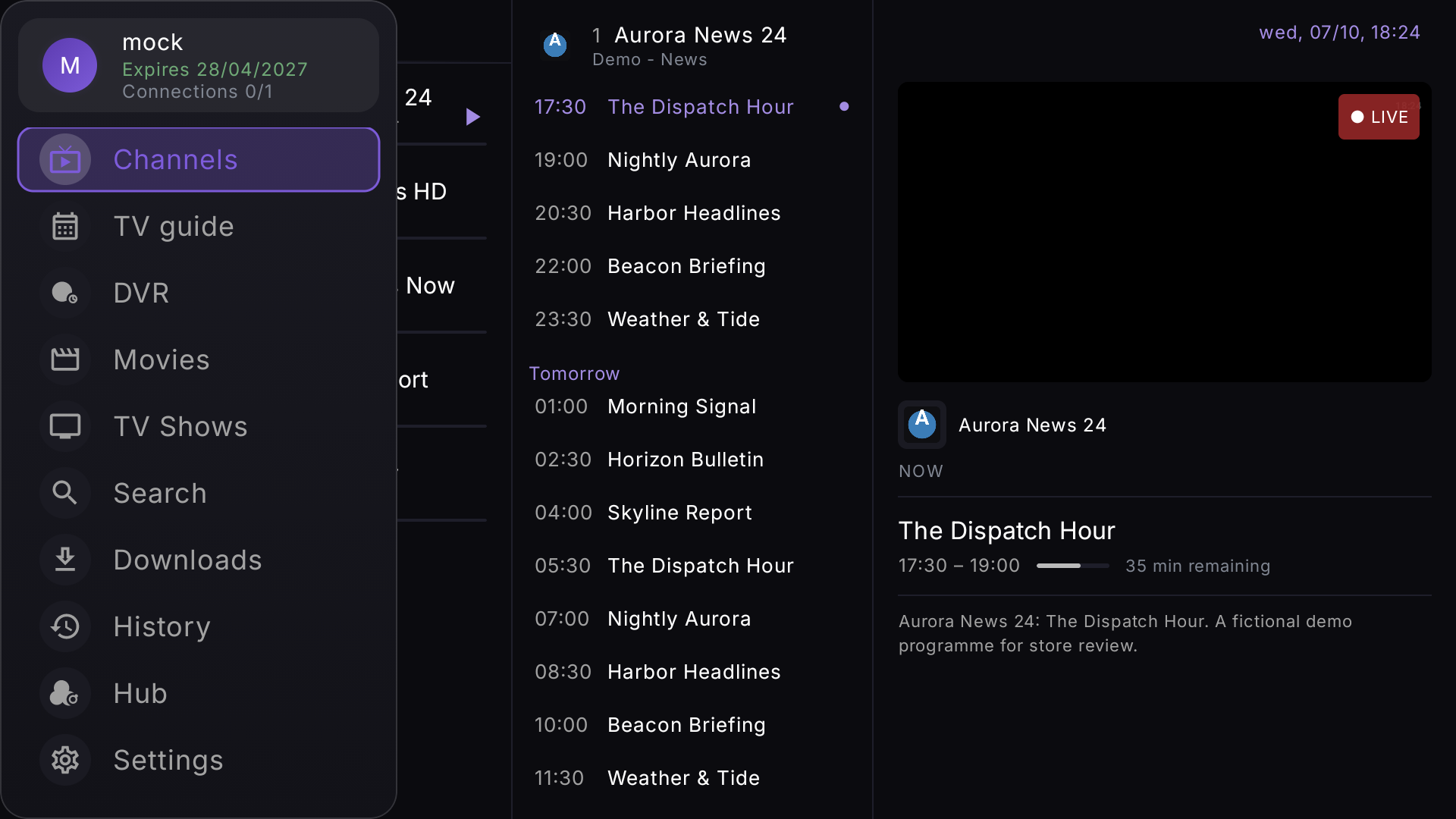
Real captures
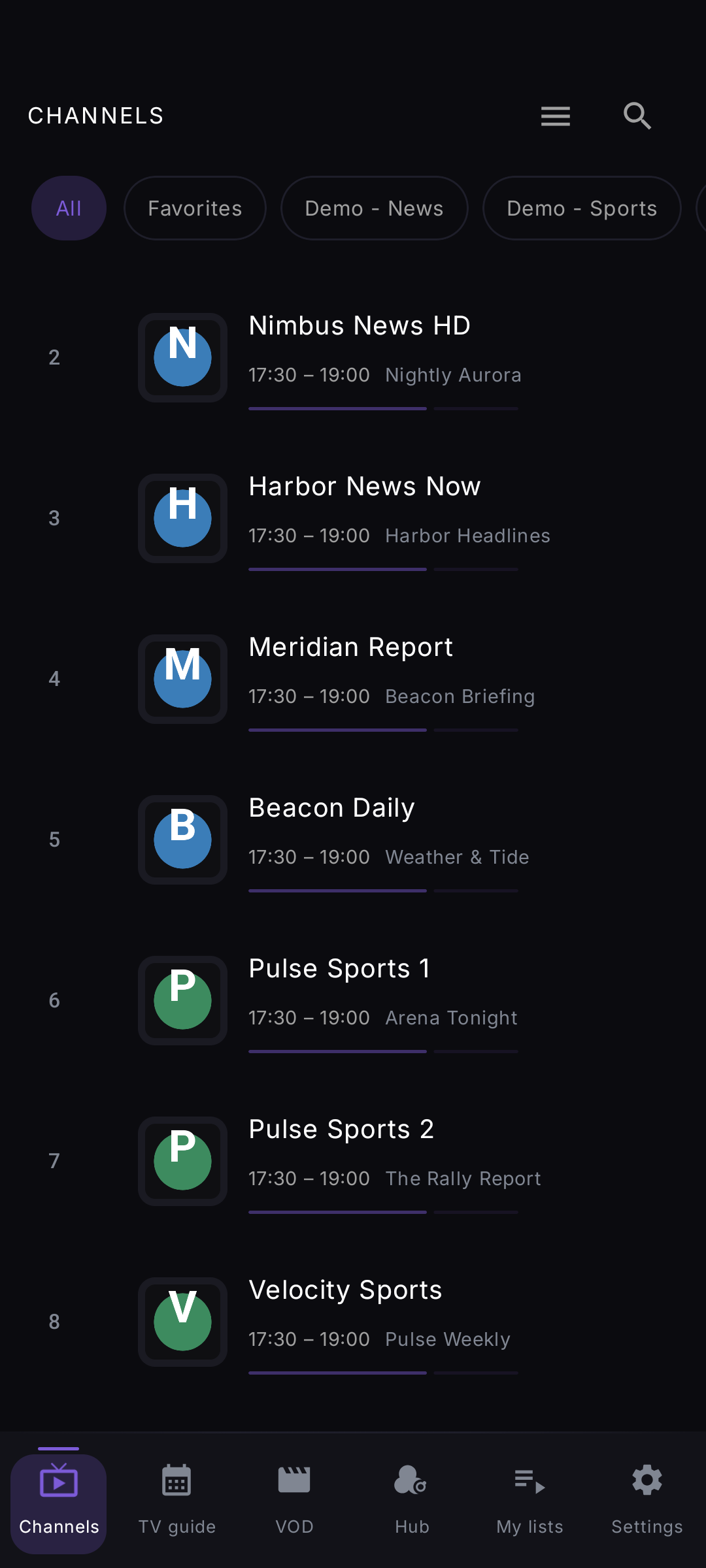
Real app interfaces with fictional demo content. Sidstuga is the player: no channels or content are included.
Pricing
Fire TV or direct Android: lifetime licence. Google Play: yearly subscription.
Lifetime licence (sideload)
Launch price: €49.99 after full release
Google Play subscription
About €0.83 a month, billed once a year
Sideload builds only: Fire TV / Firestick and direct Android. Sidstuga installed from the Google Play Store cannot read a lifetime licence. Any Android box, phone or tablet can use it: having the Play Store does not stop you.
Secure payment by Stripe · MB WAY · Visa · Mastercard · PayPal · 14-day refunds
Where it runs
Sidstuga started on Android and Fire TV, and is now expanding to native TV apps and the browser.
You bought, or want to buy, the €39.99 lifetime licence. This is your build even if your device has the Google Play Store.
€39.99 · one-time Download direct APKFire TV Stick, Fire TV Cube or a television with Fire TV. Fire OS needs its own build; the same lifetime licence works here.
€39.99 · one-time Download Fire TV APKOnly if you pay €9.99/year through the Play Store. A lifetime licence does not activate in this build.
€9.99 /year Get it on Google PlayNative apps for Samsung, LG and Hisense smart TVs, no Android box required.
Learn moreWatch straight from a browser, signed in with the same Cloud Sync account as your other devices. Included with any active Sidstuga licence.
Learn moreFrom your first installation to organising your devices. Choose a topic and follow the steps.
What it does
The essentials for live TV, films and series: without clutter or ads.
Channels from your Xtream Codes, M3U or Stalker/MAG portal, with a programme guide covering now, next and the past days, and instant search across all of it.
Watch several channels at the same time, on TV and on your phone. Open one window and add the others as you go.
The movies and series in your own playlist get proper detail pages: artwork, cast, seasons and episodes, watched markers and resume.
Record live TV to your device, or straight to network storage over SMB. Schedule from the guide; recordings are named after the programme, with date, season and episode.
Go back up to 7 days on channels where your provider supports it, with real play, pause and seeking.
Favourites, history and watch progress follow you across TV, phone and Fire TV: encrypted with Argon2id and AES-GCM, so nobody but you can read them. Entirely optional.
Learn more about Cloud SyncCredentials, playlists and settings live encrypted on your device. Cloud Sync's library, favourites, continue-watching, profiles and settings, travels end-to-end encrypted, so we cannot read it; synced playlists are the one exception, stored so our servers can use them for the web panel and browser playback. Anonymous crash reports and basic usage stats go to Firebase to help fix bugs; the app contains no ad networks.
Read the full privacy policy →Questions
Your own source. Sidstuga is the player: add an Xtream Codes login, an M3U file or URL, or a Stalker/MAG portal from a provider you already subscribe to, and it plays and organises everything your source returns.
Yes. Record any live channel on both Android TV and mobile, to device storage, USB or a NAS over SMB. Schedule recordings from the guide; files are named after the programme, with date and, when the guide provides it, season and episode.
Sidstuga uses Media3 (ExoPlayer) with hardware video and audio decoding by default. For persistent buffering, the stream stats overlay shows live bitrate and buffer health, so you can tell a device problem from a provider problem in seconds.
Yes: that is where Sidstuga is tested at every release. Budget boxes can lose their hardware decoder mid-stream; Sidstuga detects it and recovers the picture by itself, without a manual channel switch.
Yes. Add several sources (Xtream, M3U and/or Stalker portals) and switch between them. Each keeps its own history, favourites and channel order.
The lifetime licence is one payment of €39.99 for the sideload builds, Fire TV and direct Android, on up to 5 devices, with every future update included. On Google Play it is €9.99/year with a 7-day free trial. No ads either way. A lifetime licence does not activate in the Google Play version, and a Play subscription only opens the sideload builds once the Google Play app has linked it to your Cloud Sync account.
Set up in minutes. Your channels, your rules.