
Before you start
Check available storage and the terms of your source or server before setting up these features.
Step by step
- To record, play the channel first, open the channel’s menu and choose "Record channel". You can only record content you have the legal right to record.
- In the guide, select a future programme and choose "Schedule recording".
- Find your recordings in "DVR". To choose the drive or card where they are saved, use "Recording location".
- For multiview, open "Multiview" and use "Add a window" to add the channels you want to follow. Simultaneous access depends on your source.
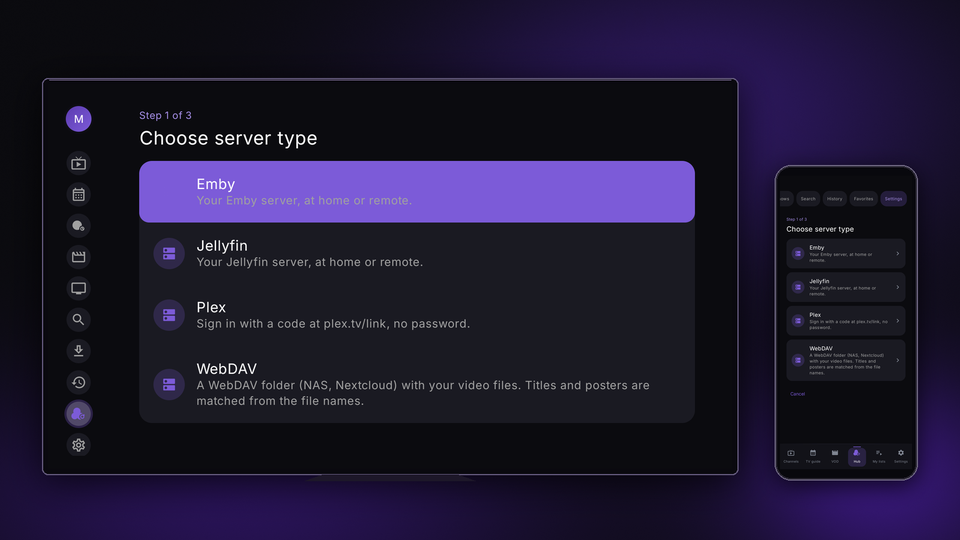
- In "Hub", open "Hub source", choose "Add server", select the server type (Plex, Jellyfin, Emby or WebDAV) and enter your server details.
- Test each feature on your device. Availability depends on the source, destination and platform.
Related guides and pages
Need help?
Option names may vary between TV and mobile. Use the guide for your device and make sure the app is up to date.